LumaDeck is now on Android
The same LumaDeck, now as an app for your Android tablet or phone: scenes that react to the music, pads to launch them, your own videos and images, text over the picture and Google Cast to put the master on the TV. For DJs, VJs, live music and anyone preparing the screen for an event.
What the app gives you
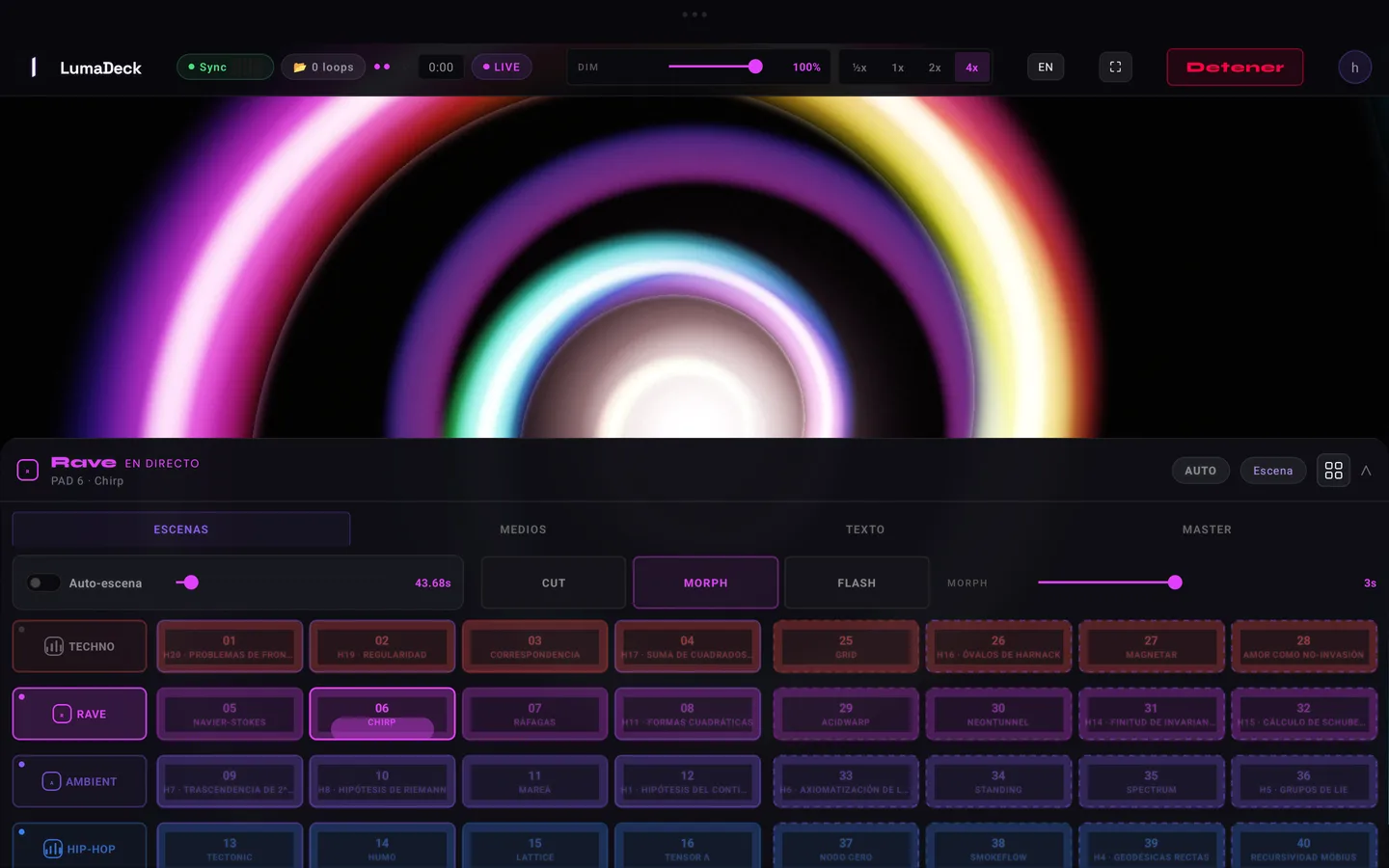
What you already know from the web, in the same order: the Scenes, Media, Text and MASTER tabs, with the master picture on top.
- Scenes that react to the music. LumaDeck listens through the microphone or the input you choose in Audio, or follows the SYNC pulse. It does not play or output sound: your music keeps coming out of your usual setup.
- Pads and AUTO. Launch scenes with one tap, organise them in rows and let AUTO change them by your rules.
- Your videos and images. Load them in Media and use them as the background or as a layer, such as your logo.
- Text. The name of whoever is playing, the venue or the event, over the picture.
- Google Cast. Send the master to a compatible TV or receiver; the controls stay in your hand.
How to install it
- On your Android tablet or phone, open lumadeck.app/app in the browser.
- Tap Download for Android, over the master picture, and wait for the download to finish.
- Open the downloaded file and tap Install.
- Open LumaDeck and sign in with your account.
The first time, Android will ask you to allow installing apps from that source (usually your browser). It is the standard notice for any app that does not come from a store: turn it on for that source, go back and continue. You can switch it off afterwards; the installed app keeps working.
Your account, your Pro and your packs
Sign in with the same account you use on the web, by email or with Google. The app recognises your Pro and the packs you have bought, and with Pro your shows saved in the cloud are there too. There is nothing to pay again.
A separate install from the browser version
The app and LumaDeck in the browser share your account, but they are separate installs. What you save to your account comes with you; what lives on each device does not. Your videos and images are never uploaded to our servers: they stay where you picked them. So on the tablet you will need to select them again. Keep your media folder handy and copy it to the device before the show.
Two Android versions
The one you download from lumadeck.app includes the store: you can get Pro or packs from the app, and payment is completed in the browser. The Google Play version, once available, will not have a store: you sign in with your account and use the content you already have.
What you need
- Android 8.0 or later.
- We recommend a tablet: more room for the pads and smoother visuals.
- For Cast, a TV or receiver compatible with Google Cast on the same Wi-Fi network as the tablet.
Want to see your show big? Follow the guide From tablet to TV with Google Cast. If this is your first session, start with your first LumaDeck show, and for every control there is the full user guide.
Take LumaDeck on your tablet
Open LumaDeck on your Android device and tap “Download for Android”.
Open LumaDeck