SYNC, Mic or Line: match visuals to your DJ set
SYNC is the bridge between music and image. Give LumaDeck a useful pulse and the visual stops running beside the set: it starts breathing with it.
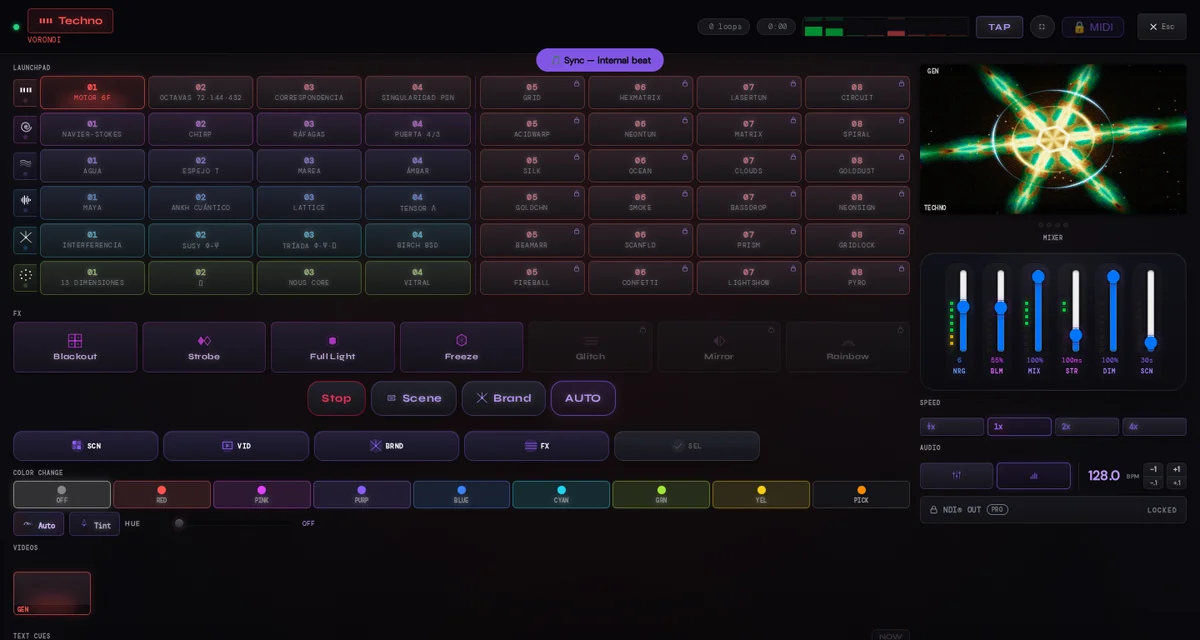
SYNC: learn the response without a cable
SYNC gives the engine an internal beat at the BPM you set. Use it to understand what beat and energy do to the visual, rehearse transitions or check a screen when no audio setup is available. It follows your tempo without listening to the room.
Mic: the fastest route to the room
Mic listens through an input available to the browser. It is the quickest setup for a laptop near the speakers: grant permission, choose the input and let LumaDeck hear the room. The trade-off is that it also hears conversations, reflections and everything else around it.
Line: the cleanest feed from the set
Line is the deliberate route: take an output from the mixer into an audio interface and select that input in the browser. The engine receives the programme more directly, with less of the room mixed in. For the cabling and operating-system side, use the audio return guide.
BPM, TAP and nudge stay under your hand
The Master displays BPM and keeps TAP plus −1/+1 nudge at hand. Mark the tempo you know, then nudge when the pulse needs a small correction. The controls keep musical judgement with the person playing the set.
SYNC is not cloud sync
Here, SYNC means aligning visual movement with musical time. It does not mean synchronising two computers over Wi-Fi or copying a show to another device. Choose the audio path that fits the booth, test it before doors and keep the visual response under your control.
Start with SYNC to learn. Use Mic when speed matters. Use Line when you control the booth and want the cleanest source. In every case, watch the visual rather than chasing a number: the room is the final reference.
Give the visual engine a pulse
Open LumaDeck, choose the input that matches your setup and see how the Master responds.
Open LumaDeck